Google Ads shows your offer at the very moment someone searches for it. Here is how to choose the campaign type, keywords, ad and budget for a solid first launch.
Start with a search campaign, one clear goal and a matching landing page. Choose a few keywords with buying intent, exclude irrelevant searches, set up tracking before launch, and read the search terms report in the first weeks before touching your bids.
Someone types ‘bike repair Winterthur’ or ‘wedding photographer Zurich’ into Google and clicks one of the first results. If your ad is there, you are visible at exactly the right moment: the person is already looking, so you do not have to persuade them that they need something. That is what makes Google Ads powerful. It is also why so many first campaigns waste money: they show up for the wrong searches, send people to an unsuitable page, or never measure what happens next. This guide explains how to set up a first campaign you can actually learn from.
What happens when you run Google Ads?
Google Ads is an auction that runs again with every search. You decide which search terms your ad may appear for and the most a click is worth to you. You usually pay only when someone clicks. The bid is not the only thing that decides your position, though. Google also assesses how well your ad and landing page match the search, summed up in the Quality Score: expected click-through rate, ad relevance and landing page experience. A relevant, well-written ad can therefore rank above a more expensive but generic one. In the results, ads are labelled ‘Sponsored’.
Which campaign type should you start with?
When you create a campaign, Google offers several types. The main differences are where the ads appear and how much control you keep:
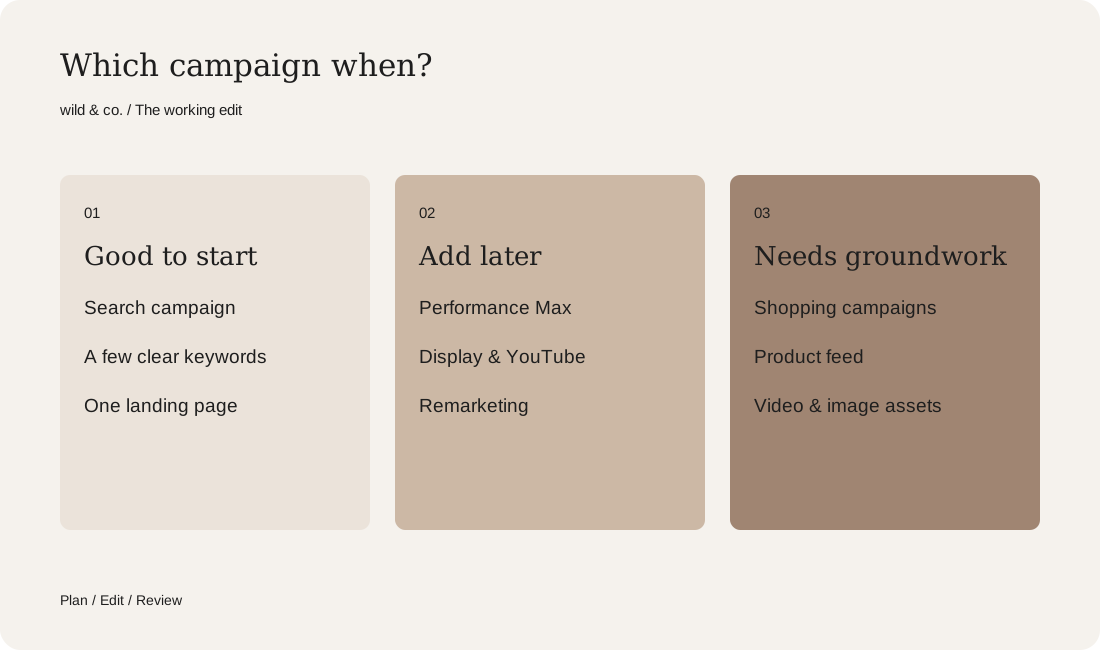
- Search: text ads in Google search results, steered by keywords. The best place to start, because you can see exactly what you are paying for.
- Performance Max: Google spreads ads automatically across Search, YouTube, Display, Gmail and Maps. Strong with good data and plenty of imagery, but hard to see into at the beginning.
- Display: image ads on websites and in apps. Better for awareness and remarketing than for a first test.
- Video: ads on YouTube. Needs finished videos that hold attention in the first seconds.
- Shopping: product ads with image and price. Requires an online shop and a product feed in Merchant Center.
For a first campaign we nearly always recommend a search campaign with a few closely related keywords. It quickly shows you which searches lead to enquiries, and that knowledge helps automated campaigns later on.
Before launch: goal, page and tracking
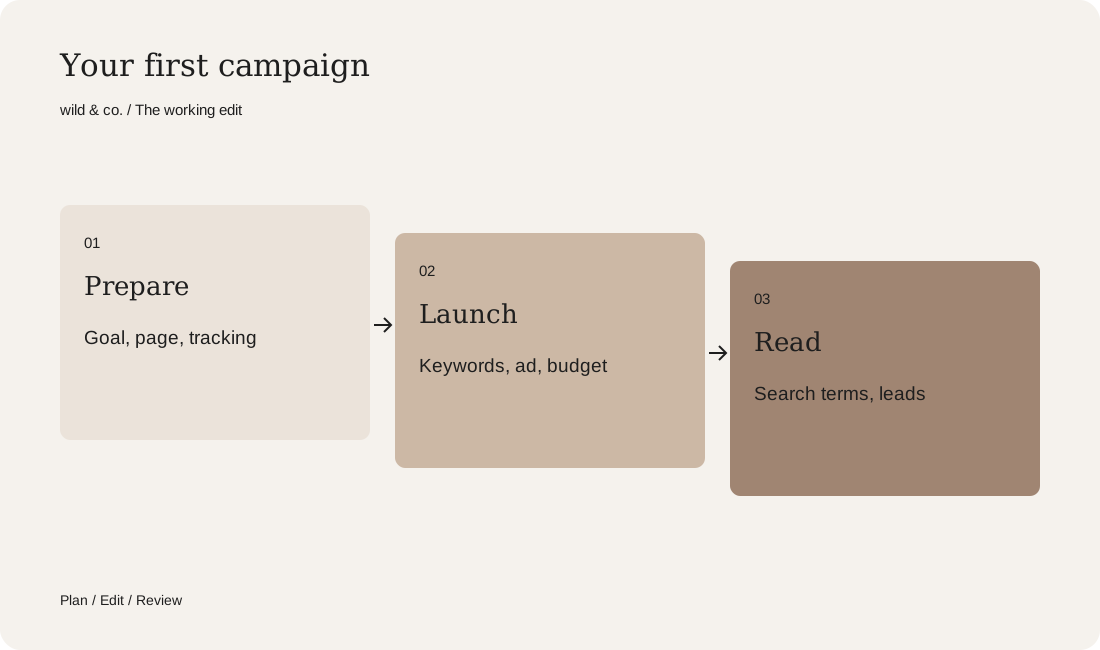
First decide what should happen after the click: an enquiry, a call, a booking or a purchase. One main goal per campaign is enough. Then check the page people land on. Someone searching for ‘product photography Zurich’ wants a page about product photography, not your homepage listing every service. The page should load quickly, work well on a phone and offer one clear next step. If that page does not exist yet, it is worth building it before the campaign. Our guide to website costs explains what shapes such a project.
Next comes measurement. Without conversion tracking you only know how many people clicked, not how many got in touch. Install the Google tag or import conversions from Google Analytics 4, and send a test enquiry to check it is actually counted. Because tracking relies on cookies or similar technology, it belongs in your consent banner and your privacy policy.

Finding and narrowing keywords
Good keywords describe what someone searches for when they are ready to buy or enquire. ‘Bookkeeping services Zug’ is a strong term; ‘what is bookkeeping’ is not. Keyword Planner inside Google Ads gives you ideas and rough search volumes. Sort the terms into small groups that each match one ad and one page. Then choose how closely each keyword should match: exact match for searches with the same meaning, phrase match for searches that include that meaning, and broad match for related searches. Broad match brings more reach but needs good tracking and tight negatives.
Negative keywords matter just as much. They stop you paying for searches that will never turn into work:
- Job hunting: vacancy, job, apprenticeship, internship, salary.
- Learning: course, training, degree, how to learn.
- Do it yourself: DIY, tutorial, template, free.
- Wrong places or services: towns you do not serve, services you do not offer.
Writing the ad
Search ads are now responsive. You enter up to 15 headlines of 30 characters each and up to four descriptions of 90 characters each, and Google combines them to suit the search. So write every headline to make sense on its own: one with the search term, one with your location, one with what sets you apart, one with the next step. Pin headlines only when you have to, for example for a required notice. Add assets, formerly called extensions: sitelinks to key pages, short callouts, your phone number and your location. They make the ad larger and more useful without raising the price per click. Only promise in the ad what the landing page delivers.
Budget, bidding, location and language
You set the budget as an average daily budget. Google may exceed it on individual days, up to double, but balances this over the month: you pay at most the daily budget times 30.4. How much makes sense depends on click prices in your sector, and Keyword Planner gives you estimates. Plan a budget that brings in enough clicks per day to learn anything at all. ‘Maximise clicks’ is a simple bidding strategy to start with. Once conversions are tracked reliably, ‘Maximise conversions’ is usually the better fit.
Two settings are often overlooked. For location, ‘Presence or interest’ is the default, which means your ad can also appear for people who are merely interested in your area. If you only work locally, choose ‘Presence’. And in Switzerland, language deserves attention: if you have clients in both French- and German-speaking regions, separate campaigns per language work better than a mixed one, because keywords, ads and landing pages then belong together.
The first weeks: read before you tweak
After launch, a campaign needs some time before automated bidding has enough data. Do not change budget, bids and ads all at once every day in this phase, or you will not know what made the difference. Instead, check the search terms report regularly. It shows the real searches your ad appeared for. Exclude what does not fit and add good new terms as keywords. Judge the campaign by enquiries or sales and their quality, not by the number of clicks. A cheap click that never enquires costs more than an expensive one that becomes a project.
Google Ads or Instagram ads?
Both can make sense, but they do different jobs. Google Ads captures demand that already exists: the person is actively searching. Instagram ads spark interest in people who were not looking at all, and they rely on images, video and an idea that stops the scroll. If hardly anyone searches for your offer, perhaps because it is new, social media often brings more. Our guide to Instagram ads covers how to approach it, and developing a campaign idea shows how an offer becomes a message that works on both channels.
Your Google Ads plan
Run it yourself or get support?
You can set up a small search campaign yourself if you make time for keywords, negatives and reviewing the results. The plan above helps you pin down the key decisions first. Support pays off when several services, languages or regions come together, when the right landing page is still missing, or when ads, imagery and tracking should come from one team. At wild & co. in Zurich we plan Google and social ads with the campaign idea, ads and landing page, for clients across Switzerland, in person or remotely.
Next reads.
 Social MediaInstagram ads.How to advertise on Instagram, from goal and audience to budget.Boost a post or build a campaign in Ads Manager? How Instagram advertising works, which formats exist and how to set a sensible goal, audience and budget.
 WebdesignWebsite costs.What drives the price when you have a website built in Switzerland.What drives the price of a new website, which running costs follow after the launch and how to compare proposals from studios in Switzerland fairly.